


Aspect Ratio Calculator
Use this free aspect ratio calculator to automatically compute new dimensions for images and videos without distortion. This online dimension calculator helps designers, content creators, video editors, and web developers resize visuals quickly and accurately.
What Is Aspect Ratio?
Aspect ratio is the proportional relationship between width and height of an image or video. The aspect ratio preserves visual proportions so content does not stretch, blur, or get cropped unexpectedly when resized. Common examples include 16:9 for widescreen displays, 4:3 for classic screens, 9:16 for vertical mobile content like Instagram Reels and TikTok, and 1:1 for square Instagram posts.
Understanding aspect ratio is essential in digital design, video editing, and website image optimization. Without a reliable image resizer tool, resized files can become blurry, misaligned, or unprofessional.
Free Aspect Ratio Calculator
Calculate missing dimensions while preserving aspect ratio. Perfect for resizing images, videos, banners, and UI layouts. No signup required.
Common Aspect Ratio Presets
The Formula
New Width = (W1 / H1) x H2
Example: (1080 / 1920) x 400 = 225
Where to Use This Tool
How to Use This Free Ratio Calculator
Using this online calculator is simple. Follow these steps:
- Enter the original image or video size in the Width (W1) and Height (H1) fields.
- Choose a preset aspect ratio if you want a standard industry size.
- Fill in the new value in the Width (W2) or Height (H2) field.
- The calculator automatically computes the matching dimension.
- Enable the rounding option if you need whole numbers for pixel-perfect design work.
Results from this proportion calculator are precise and ready to use for design projects, video exports, and website image optimization.
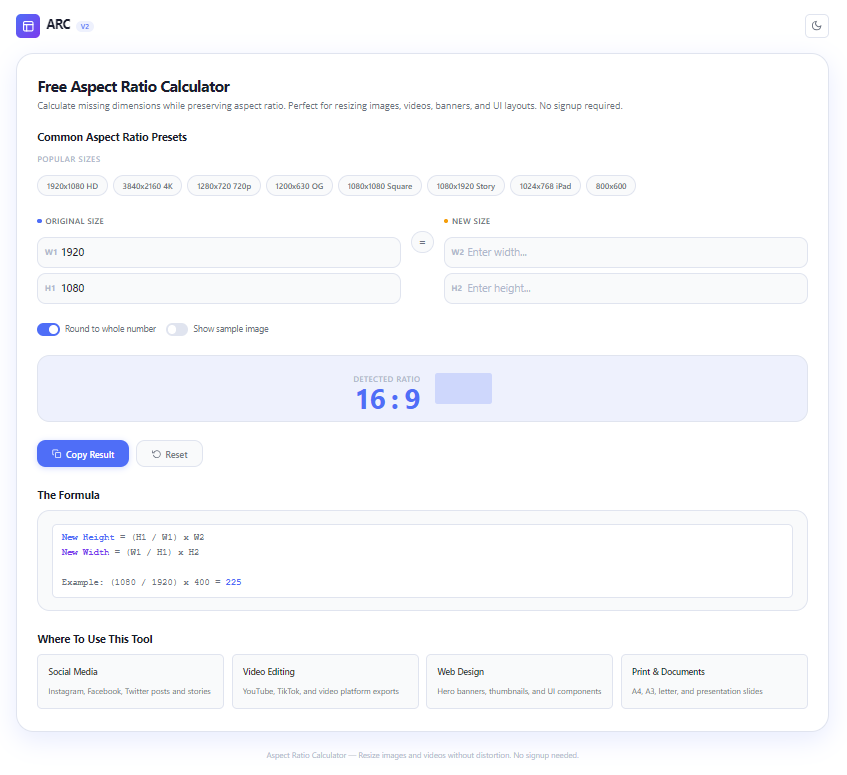
Aspect ratio calculator interface showing width and height input fields8 Popular Preset Sizes Included
This dimension calculator includes 8 popular presets used across the digital industry:
- 1920 x 1080 – Full HD standard for YouTube videos and widescreen monitors.
- 3840 x 2160 – 4K UHD resolution for high-quality content.
- 1280 x 720 – Lightweight HD resolution for faster loading.
- 1080 x 1920 – Vertical format for Instagram Stories, Reels, and TikTok.
- 1080 x 1350 – 4:5 ratio optimized for Instagram feed posts.
- 2048 x 1152 – YouTube channel banner size.
- 1500 x 500 – Twitter / X header dimensions.
- 1200 x 628 – Open Graph image size for Facebook and LinkedIn sharing.
Each preset in this image resizer removes manual guesswork. Just select a preset, enter one new side, and the tool completes the rest.
Why Use This Online Dimension Calculator?
Designers and creators prefer this free tool over manual calculation for several reasons:
- Fast and accurate – No manual math or external software needed. Learn more about how aspect ratio works on Wikipedia.
- Free with no signup – Use instantly without creating an account.
- Multiple presets – Standard sizes for YouTube, Instagram, TikTok, and web design.
- Auto rounding – Results can be rounded for pixel-perfect design work.
- Fully responsive – Works on desktop, tablet, and smartphone browsers.
With this calculator tool, you save time and ensure every image and video has perfect proportions before publishing.
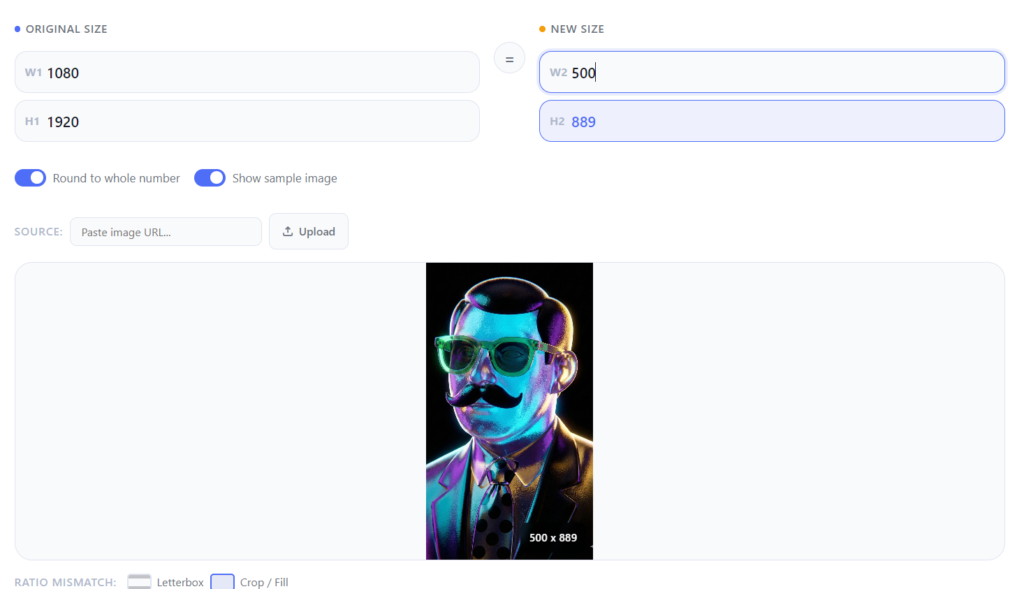
Aspect ratio calculator results showing proportional image resizingBenefits of Correct Aspect Ratio for SEO and Web Performance
Using images with the correct proportions directly impacts website performance. Properly resized visuals help your site in several ways:
- Faster page loading times. Check Google’s guide on image optimization for best practices.
- Better mobile user experience.
- Lower bounce rates because visuals stay crisp and undistorted.
- More professional appearance on social media and digital platforms.
Search engines like Google reward websites with well-optimized images. A reliable image resizer helps you meet those standards easily.
Frequently Asked Questions
Is this aspect ratio calculator free?
Yes, this free calculator is 100% free with unlimited usage.
Are the calculator results accurate?
Very accurate. The tool uses standard mathematical formulas to keep width and height proportions consistent.
Can I use this calculator for video?
Absolutely. This video dimension calculator works for both images and videos.
Is there a mobile app version?
Currently available as a responsive web tool accessible from any phone or desktop browser.
What is the difference between cropping and aspect ratio?
Cropping removes part of the image, while aspect ratio resizes the entire image proportionally without cutting content. Read more about image editing techniques on Adobe’s guide.
Conclusion
The free aspect ratio calculator from Gowebs.id is a practical tool for automatically calculating image and video dimensions. With 8 popular presets, rounding features, and a fully responsive interface, this online calculator is essential for designers, developers, and content creators worldwide.
Use this tool now and make sure every visual you publish has perfect proportions. For more web tools and utilities, explore our tools collection or read our guide on image optimization for websites.