

10 Oct Custom Website Design for Small Businesses: 7 Amazing Tips
Custom website design for small businesses helps turn your website into a useful business tool—not just an online brochure. A clear message, intuitive navigation, mobile-friendly layouts, fast pages, and trustworthy content make it easier for potential customers to understand your offer and take the next step.
Disclosure: This article contains affiliate links. If you purchase through them, Gowebs.id may earn a commission at no extra cost to you. We only include links relevant to this topic.
This guide explains the essentials of planning a business website, choosing the right platform, improving user experience, and building a practical foundation for SEO. Use it as a checklist whether you are launching a new website or improving an existing one.
Table of Contents
Why Custom Website Design Matters
Your website often shapes a customer’s first impression of your business. A design that reflects your brand and answers visitors’ questions can build confidence, help people compare your services, and guide them toward contacting you or making a purchase. “Custom” does not always mean building every feature from scratch; it means choosing a design and functionality that fit your goals, audience, and budget. For custom website design for small businesses, these choices should create a clear path from the first visit to the next step.
Build a Consistent Brand Identity
Use consistent colors, typography, imagery, tone of voice, and visual hierarchy across your pages. Make your business name, value proposition, and main service easy to recognize. A distinctive identity helps customers remember you, while consistent design makes the experience feel more reliable. This consistency is a practical foundation for custom website design for small businesses because it makes the brand easier to recognize across pages.
Design Around User Needs
Start with the questions customers ask before they buy: what you offer, who it is for, what it costs or how to request a quote, how the process works, and why they should trust you. Organize pages around those needs. Use descriptive calls to action such as “Request a Quote” or “Book a Consultation” rather than vague labels.
Make the Site Accessible
Readable text, sufficient color contrast, descriptive link labels, useful image alt text, keyboard-friendly navigation, and clearly labelled forms help more people use your website. Accessibility should be part of the design process, not a final cosmetic step. It is an important consideration in custom website design for small businesses serving customers with different needs.
Understand Your Target Audience
Before choosing layouts or colors, identify your most valuable customer groups. Effective custom website design for small businesses starts with understanding their goals, common objections, location, device habits, and the information they need before contacting you. Review customer questions, sales conversations, support requests, and competitor websites to find gaps your site can address.
For many local companies, custom website design for small businesses works best when the site structure mirrors the way customers choose a provider. Give each important service or product its own page when it serves a distinct search intent. Avoid forcing every detail onto the homepage. A well-organized structure helps customers and search engines discover relevant information.
Choose the Right Website Platform
The right platform depends on your budget, editing workflow, integrations, technical resources, and plans for growth. For custom website design for small businesses, compare how easily your team can update content, manage leads, connect essential tools, and maintain the site over time. A hosted website builder can simplify routine maintenance; WordPress can offer flexibility through themes, plugins, and a large developer ecosystem. Compare the total cost of ownership rather than the starting price alone.
Content Management Systems
A content management system (CMS) lets your team update pages and publish articles without rebuilding the whole website. WordPress is one option for businesses that need flexible publishing, integrations, and room to expand. If you are comparing WordPress builders with hosted design tools, read our Elementor vs Webflow comparison. If Elementor is a fit for your workflow, you can also explore Elementor here.
When Custom Development Makes Sense
Custom development may be worthwhile when your business needs a specialized workflow, complex integrations, a unique customer portal, or functionality that standard tools cannot provide reliably. Define requirements before development begins, prioritize must-have features, and plan for maintenance, security updates, documentation, and future improvements.
Create Clear Navigation and Page Structure
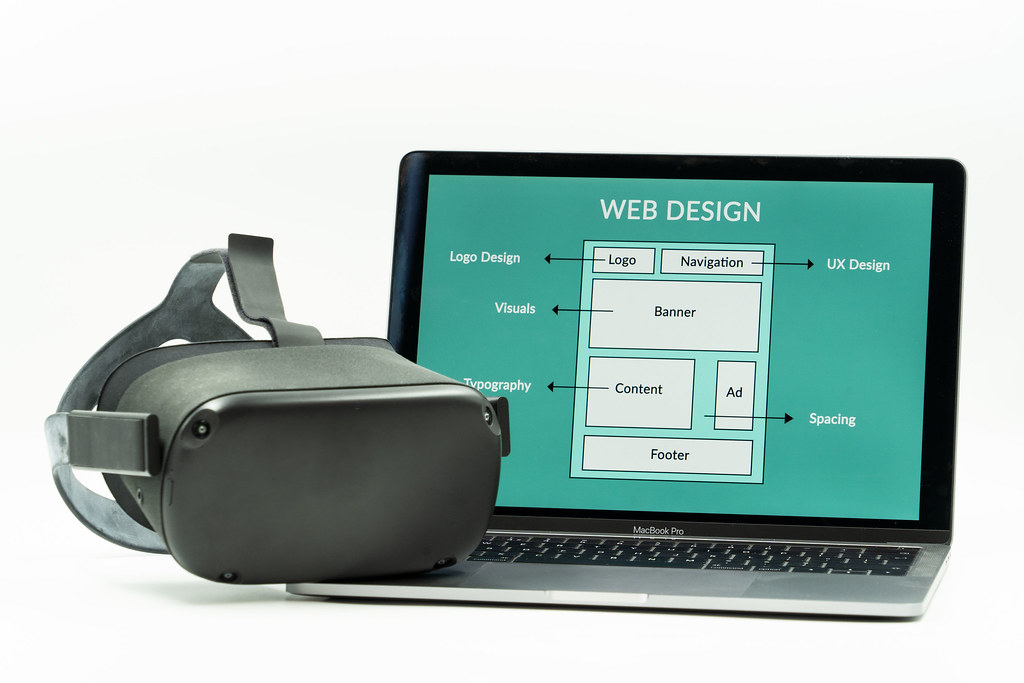
Keep the main menu focused on the pages visitors need most. Many small businesses benefit from a clear Home, Services or Products, About, Contact, and Resources or Blog structure. Use descriptive page names, logical headings, and contextual links so visitors can understand where they are and what to do next. Clear navigation is essential to custom website design for small businesses because visitors should find key information without extra clicks.
Give each important service or product its own page when it serves a distinct search intent. Avoid forcing every detail onto the homepage. A well-organized structure helps customers and search engines discover relevant information.

Build SEO into the Website
Search engine optimization works best when it is considered during planning and content creation. For custom website design for small businesses, choose a clear topic for each page, use language customers actually search for, and write useful copy that answers their questions. Include the main topic naturally in the page title, main heading, introduction, and relevant subheadings—without repeating keywords unnaturally.
Optimize On-Page Elements
Write a unique SEO title and meta description for each important page. Use a logical heading hierarchy, descriptive image alt text, readable URLs, relevant internal links, and useful calls to action. Add structured data only when it accurately describes the page and follows the applicable guidelines. For a practical overview, read Google’s SEO Starter Guide.
Publish Helpful, Original Content
Answer real customer questions with service pages, FAQs, case studies, tutorials, and articles that demonstrate your experience. Keep information accurate and update pages when offers, pricing, processes, or technology change. Avoid thin pages created only to repeat keywords; each page should have a clear purpose for the reader. This approach makes custom website design for small businesses more useful to both visitors and search engines.
For more ideas on visual hierarchy and essential design decisions, see our article on key elements of website design and development.
Prioritize Mobile Performance
Check important pages on real phones as well as desktop screens. Text should be readable without zooming, buttons should be easy to tap, menus should be simple to use, and forms should request only the information you need. Make sure images scale correctly and that important content is not hidden behind overlays or pop-ups.
Performance matters to user experience. For custom website design for small businesses, compress and appropriately size images, avoid unnecessary scripts and plugins, use reliable hosting, and test key pages after changes. Measure real performance rather than assuming a site is fast because it looks simple.

Use Images and Content with Purpose
Choose authentic, relevant visuals that help explain your products, team, process, or results. Use descriptive filenames and alt text where images convey information, and avoid adding keywords to alt text when they do not describe the image. Break up long sections with meaningful headings, concise paragraphs, lists, examples, and testimonials that you have permission to publish. In custom website design for small businesses, every visual should help explain the offer or build trust.
Add Ecommerce or Lead Generation
For custom website design for small businesses that sell online, make product details, shipping costs, payment methods, returns, and support information easy to find. Test the entire purchase journey on mobile and desktop, including confirmation emails and error states. If your goal is lead generation, use clear contact forms, visible contact details, and a specific next step on relevant pages.
Build Trust and Protect Customer Data
Use HTTPS, keep software and extensions updated, restrict administrator access, and maintain reliable backups. Collect only the personal data you need, explain how it is used, and publish appropriate privacy and business information. For ecommerce or lead generation, make sure forms, payments, and integrations are tested and maintained. Security and privacy should be planned from the start of custom website design for small businesses.
Measure Results and Improve
For custom website design for small businesses, choose metrics that match your goals: qualified enquiries, calls, bookings, purchases, conversion rate, organic search clicks, and engagement with key pages. Configure analytics and conversion tracking carefully, respect applicable privacy requirements, and review trends over time. Use the data to improve confusing pages and remove friction from important journeys.
Budget for Design and Maintenance
Budget for more than the initial design. Include domain renewal, hosting, licences, content production, accessibility checks, backups, security, updates, and future improvements. The best option is not necessarily the cheapest quote; it is the solution that meets your requirements and can be maintained reliably. A realistic maintenance budget helps custom website design for small businesses stay secure, useful, and effective after launch.
When choosing hosting for your small-business website, compare renewal pricing, backups, security, support, and the resources included—not only the introductory offer. You can review HostGator hosting plans, InMotion Hosting, and Bluehost hosting as options to compare. Check current plan details and renewal terms before deciding.
Before hiring a provider for custom website design for small businesses, ask what is included, who owns the website and accounts, how revisions are handled, how performance is tested, and what support is available after launch. You can review Gowebs website development projects to see examples of our work, or contact Gowebs to discuss your requirements.
Common Website Design Mistakes to Avoid
- Unclear messaging that makes visitors guess what the business offers.
- Overcrowded navigation, too many competing calls to action, or hard-to-find contact details.
- Slow pages caused by oversized images, unnecessary scripts, or poorly maintained plugins.
- Ignoring mobile usability, accessibility, or form testing.
- Publishing generic content that does not answer customer questions.
- Launching without analytics, backups, security updates, or a maintenance plan.
Conclusion
Effective custom website design for small businesses combines a recognizable brand, useful content, clear navigation, mobile performance, accessibility, and measurable business goals. Start with the needs of your customers, choose a platform that suits your team, and improve the site using real feedback and performance data. A website is an ongoing business asset: regular maintenance and thoughtful updates help it remain useful as your business grows.
Frequently Asked Questions
Do small businesses need a custom website?
Most small businesses benefit from a website designed around their audience and goals. That does not always require fully custom code; a well-configured theme or builder may be enough, depending on the required features and budget.
How much does a small business website cost?
Costs vary with the number of pages, design complexity, content, integrations, ecommerce needs, and ongoing support. Request a detailed scope and compare what each quote includes, including maintenance after launch.
How long does it take to build a business website?
A simple site may take a few weeks, while a larger website with custom functionality, ecommerce, or extensive content may take several months. Clear requirements and timely feedback help keep the project on track.
Can I update my website without coding?
Yes. Many CMS platforms and visual builders let business owners edit pages, images, and articles without writing code. Choose a setup your team can maintain and make sure you have the right training and account access.
Does good website design guarantee SEO rankings?
No. Good design supports usability and technical quality, but rankings also depend on relevance, content quality, competition, site accessibility to search engines, and many other factors. Monitor search performance and improve the site over time.

No Comments